
Problem Context
"It looks good to me" is not an evaluation strategy. Yet most teams assess LLM quality by eyeballing a few outputs, deciding it feels right, and shipping. Then a subtle regression slips through — the model starts adding a disclaimer to every response, or the tone shifts from professional to casual — and nobody catches it until customers complain.
LLM evaluation is harder than traditional ML evaluation because there's rarely one "correct" answer. A summary can be accurate but poorly written. A code review can be technically correct but miss the point. You need evaluation methods that capture the dimensions of quality that matter for your use case.
- You updated a prompt and have no idea if it actually improved things or just felt better on the test cases you checked
- Your team can't agree on what "good" output looks like for your use case
- You want to catch regressions automatically but don't know what metrics to track
- Business stakeholders ask "how good is the AI?" and you don't have a number to give them
This article builds a practical evaluation framework — from defining quality dimensions to automating regression detection.
Concept Explanation
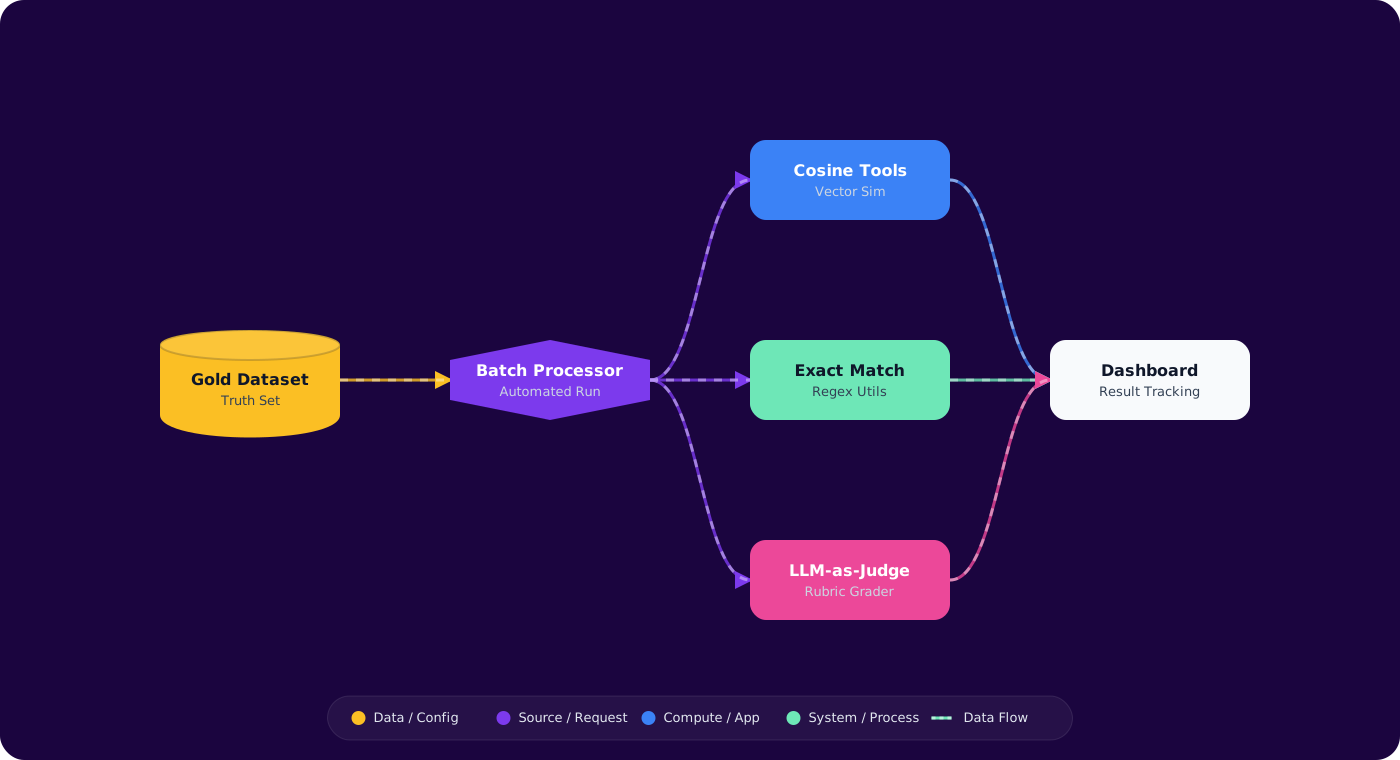
Good LLM evaluation operates at three levels: offline evaluation (before deployment), online metrics (during production), and human feedback loops (continuous calibration). Each level catches different problems.
      flowchart TD
          A["Define Quality\nDimensions"] --> B["Build Test Suite\n(golden dataset)"]
          B --> C["Automated Evaluation\n(metrics + LLM-as-judge)"]
          C --> D["Human Evaluation\n(calibration)"]
          D --> E["CI Integration\n(regression gate)"]
          E --> F["Production Monitoring\n(online metrics)"]
          F -->|"Feedback loop"| B

          style A fill:#4f46e5,color:#fff,stroke:#4338ca
          style C fill:#059669,color:#fff,stroke:#047857
          style E fill:#7c3aed,color:#fff,stroke:#6d28d9
          style F fill:#dc2626,color:#fff,stroke:#b91c1c
Quality Dimensions
Before measuring anything, define what you're measuring. Common dimensions for engineering tasks:
- Correctness: Is the output factually and technically accurate?
- Relevance: Does the output address what was asked?
- Completeness: Does it cover all required aspects?
- Format compliance: Does it follow the specified structure?
- Conciseness: Is it appropriately brief without losing substance?
- Safety: Does it avoid harmful, biased, or inappropriate content?
LLM-as-Judge
Use a more capable model (e.g., GPT-4o) to evaluate outputs from your production model. Provide rubrics, reference answers, and scoring criteria. It's not perfect — judges have biases too — but it scales far better than human review and correlates well with human judgment on structured rubrics.
Implementation
Step 1: Build a Golden Test Suite
public class EvalTestCase
      {
          public required string Id { get; init; }
          public required string Category { get; init; }
          public required string Input { get; init; }
          public string? ReferenceOutput { get; init; }
          public required Dictionary<string, double> MinScores { get; init; }
      }

      // Example test cases
      var testSuite = new List<EvalTestCase>
      {
          new()
          {
              Id = "review-null-check",
              Category = "code-review",
              Input = "Review: if (user != null && user.Name != null) { ... }",
              ReferenceOutput = "Use pattern matching: `if (user is { Name: not null })`...",
              MinScores = new()
              {
                  ["correctness"] = 0.8,
                  ["actionability"] = 0.7,
                  ["conciseness"] = 0.6
              }
          }
      };
Step 2: Automated Scoring with LLM-as-Judge
public class LlmJudge
      {
          private readonly ChatClient _judgeClient; // GPT-4o

          public async Task<Dictionary<string, double>> ScoreAsync(
              string input, string output, string? reference)
          {
              var prompt = $"""
                  Score the following AI output on these dimensions (0.0-1.0):
                  - correctness: Technical accuracy of the response
                  - relevance: How well it addresses the input
                  - completeness: Coverage of important aspects
                  - conciseness: Brevity without losing substance

                  INPUT: {input}
                  AI OUTPUT: {output}
                  {(reference != null ? $"REFERENCE: {reference}" : "")}

                  Return JSON: {{"correctness": 0.0, "relevance": 0.0,
                  "completeness": 0.0, "conciseness": 0.0}}
                  """;

              var response = await _judgeClient.CompleteChatAsync(
                  [new UserChatMessage(prompt)],
                  new ChatCompletionOptions
                  {
                      ResponseFormat = ChatResponseFormat.CreateJsonObjectFormat(),
                      Temperature = 0.1f
                  });

              return JsonSerializer.Deserialize<Dictionary<string, double>>(
                  response.Value.Content[0].Text)!;
          }
      }
Step 3: Regression Testing Pipeline
public class EvalPipeline
      {
          public async Task<EvalReport> RunAsync(
              IChatClient modelUnderTest,
              List<EvalTestCase> testSuite)
          {
              var results = new List<EvalResult>();

              foreach (var testCase in testSuite)
              {
                  var output = await modelUnderTest.CompleteAsync(testCase.Input);
                  var scores = await _judge.ScoreAsync(
                      testCase.Input, output, testCase.ReferenceOutput);

                  var passed = testCase.MinScores.All(
                      req => scores.GetValueOrDefault(req.Key, 0) >= req.Value);

                  results.Add(new EvalResult
                  {
                      TestCaseId = testCase.Id,
                      Scores = scores,
                      Passed = passed,
                      Output = output
                  });
              }

              return new EvalReport
              {
                  TotalTests = results.Count,
                  Passed = results.Count(r => r.Passed),
                  Failed = results.Count(r => !r.Passed),
                  AverageScores = AggregateScores(results),
                  FailedTests = results.Where(r => !r.Passed).ToList()
              };
          }
      }
Step 4: Production Quality Monitoring
public class ProductionMonitor
      {
          public async Task RecordInteraction(
              string input, string output, string modelId)
          {
              // Sample 5% of interactions for async evaluation
              if (Random.Shared.NextDouble() > 0.05) return;

              var scores = await _judge.ScoreAsync(input, output, reference: null);

              _metrics.RecordGauge("llm.quality.correctness", scores["correctness"],
                  new("model", modelId));
              _metrics.RecordGauge("llm.quality.relevance", scores["relevance"],
                  new("model", modelId));

              // Alert on quality drops
              if (scores.Values.Average() < 0.6)
                  _alerts.Trigger("llm-quality-below-threshold", new { modelId, scores });
          }
      }
Pitfalls
1. Evaluating only on "happy path" inputs
Your test suite needs adversarial inputs, edge cases, and ambiguous queries — not just the clean examples that look good in demos. If every test case has an obvious correct answer, your evaluation won't catch the failures that matter.
2. Using a single aggregate score
"Quality: 0.82" tells you nothing about what's working and what's broken. Break quality into dimensions (correctness, relevance, format) and track them separately. A model can be highly correct but poorly formatted — that's a different fix than one that's well-formatted but wrong.
3. LLM-as-judge without calibration
Judge models have biases — they tend to prefer verbose outputs, give higher scores to outputs that resemble their own generation style, and struggle with domain-specific correctness. Calibrate by running the same test cases through human evaluation and comparing scores.
4. Running evaluations only at deploy time
Model behavior can change over time (provider-side updates, temperature drift, context changes). Run evaluations continuously on a sample of production traffic, not just before deployment.
Practical Takeaways
- Define quality dimensions before measuring. Correctness, relevance, completeness, format, conciseness — decide which matter for your use case and weight them accordingly.
- Build a golden test suite of 50-100 cases. Include easy cases, hard cases, edge cases, and adversarial inputs. This is your evaluation infrastructure — invest in it.
- Use LLM-as-judge for scale, humans for calibration. The judge scales to thousands of evaluations per hour. Humans validate the judge is calibrated correctly. Both are necessary.
- Gate deployments on evaluation scores. No prompt or model change ships without passing the test suite. Treat it like a test suite — red means no deploy.
- Monitor quality in production continuously. Sample production traffic, evaluate asynchronously, alert on quality drops. Models and prompts drift — ongoing monitoring catches it.