
Problem Context
Your LLM application needs to know things the base model doesn't. Maybe it's your company's coding standards, your domain's terminology, or your product's specific behavior rules. The question isn't if you need to customize the model's behavior — it's how.
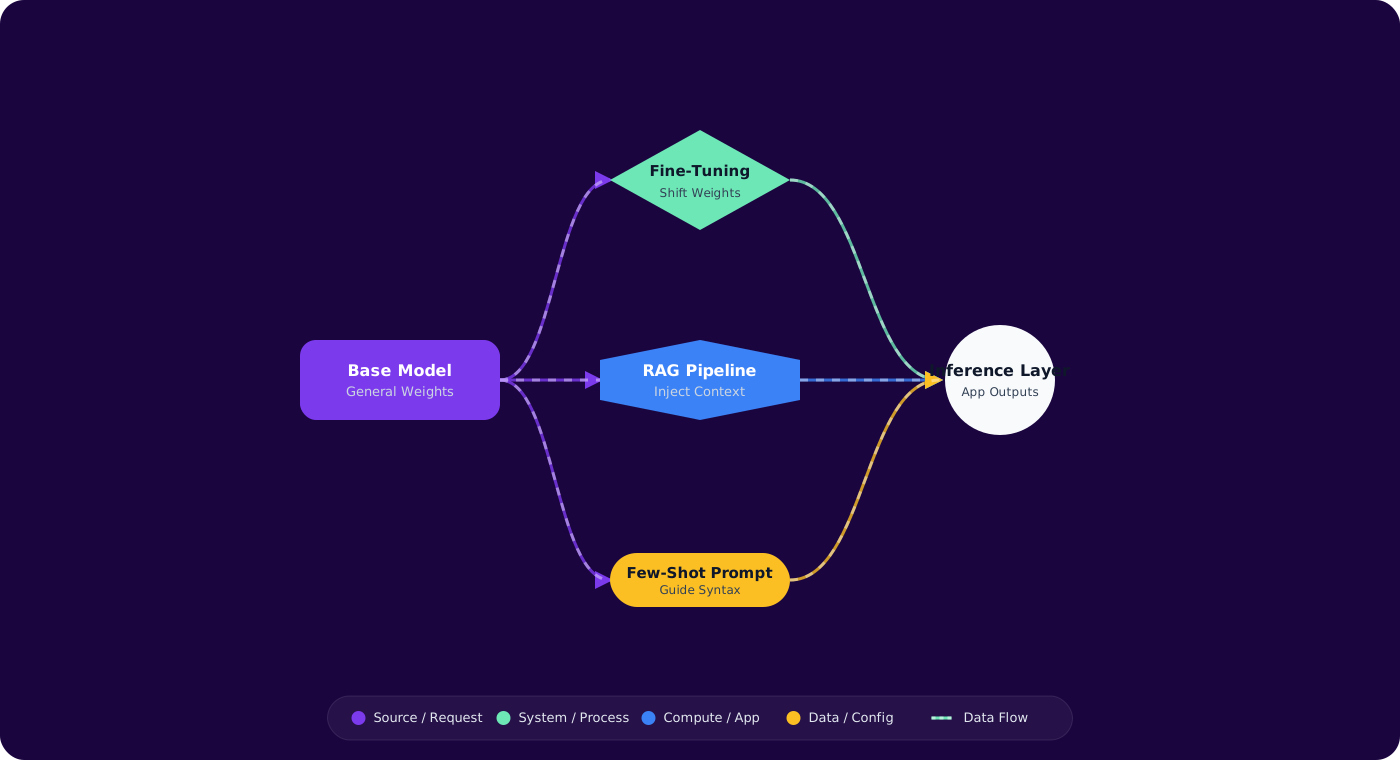
Three approaches dominate: few-shot prompting (examples in the prompt), RAG (retrieving relevant context at runtime), and fine-tuning (training the model on your data). Each has dramatically different cost profiles, development timelines, and quality characteristics. Picking wrong costs you months.
- Your team jumped straight to fine-tuning and spent weeks preparing training data before testing if few-shot would have worked
- Your RAG pipeline retrieves documents, but the model still gives generic answers
- You're not sure if your problem needs knowledge (RAG) or behavior change (fine-tuning)
- Stakeholders keep asking "can't we just fine-tune it?" without understanding the trade-offs
This article gives you a practical framework for choosing the right customization approach on day one.
Concept Explanation
The three approaches solve different problems. Understanding which problem you have is the key to choosing correctly:
      flowchart TD
          Q["What does the model\nneed to change?"] --> K{"Need external\nknowledge?"}
          K -->|"Yes"| RAG["RAG\n(Retrieval-Augmented\nGeneration)"]
          K -->|"No"| B{"Need behavior\nchange?"}
          B -->|"Style/format"| FS["Few-Shot\nPrompting"]
          B -->|"Deep skill"| FT{"Training data\navailable?"}
          FT -->|"500+ examples"| FINE["Fine-Tuning"]
          FT -->|"< 500 examples"| FS2["Few-Shot +\nSystem Prompt"]

          style Q fill:#4f46e5,color:#fff,stroke:#4338ca
          style RAG fill:#059669,color:#fff,stroke:#047857
          style FS fill:#d97706,color:#fff,stroke:#b45309
          style FINE fill:#dc2626,color:#fff,stroke:#b91c1c
          style FS2 fill:#d97706,color:#fff,stroke:#b45309
Few-Shot Prompting
Include examples of desired input/output pairs directly in the prompt. Zero infrastructure required. Best for: style adaptation, format enforcement, and tasks where 3-5 examples are enough to demonstrate the pattern. Limitation: consumes context window tokens and can't encode deep domain knowledge.
RAG (Retrieval-Augmented Generation)
Retrieve relevant documents at runtime and inject them into the prompt context. Best for: questions that require specific, up-to-date, or proprietary knowledge. The model's behavior doesn't change — it just gets more context. Limitation: quality depends entirely on retrieval quality. If you retrieve the wrong documents, you get wrong answers.
Fine-Tuning
Train the model on your labeled examples to change its default behavior. Best for: consistent style/tone, domain-specific reasoning patterns, and tasks where the model needs to "think" differently, not just "know" more. Limitation: requires hundreds of quality training examples, ongoing maintenance, and careful evaluation to avoid regressions.
Implementation
Step 1: Start with Few-Shot (Always)
var messages = new List<ChatMessage>
      {
          new SystemChatMessage("""
              You are a code reviewer for our .NET team.
              Follow our review style: direct, specific, actionable.
              Reference our coding standards when relevant.
              """),
          // Few-shot examples
          new UserChatMessage("Review: if (x == null) return;"),
          new AssistantChatMessage("""
              Use pattern matching: `if (x is null) return;`
              Reason: Consistent with our standard CS-0042.
              Pattern matching can't be overridden, making it more reliable.
              """),
          new UserChatMessage("Review: catch (Exception ex) { Log(ex); throw ex; }"),
          new AssistantChatMessage("""
              Use `throw;` instead of `throw ex;` — preserves the stack trace.
              Wrap in a more specific catch if possible (CS-0015).
              """),
          // Actual review request
          new UserChatMessage($"Review: {codeToReview}")
      };
Step 2: Add RAG for Knowledge-Dependent Tasks
public class CodeReviewWithContext
      {
          private readonly ISearchClient _searchClient;
          private readonly ChatClient _chatClient;

          public async Task<string> ReviewAsync(string code)
          {
              // Retrieve relevant coding standards
              var standards = await _searchClient.SearchAsync<CodingStandard>(
                  code,
                  new SearchOptions { Top = 5, Select = { "id", "title", "rule", "example" } });

              var context = string.Join("\n\n", standards.Value
                  .GetResults()
                  .Select(s => $"[{s.Document.Id}] {s.Document.Title}: {s.Document.Rule}"));

              var messages = new List<ChatMessage>
              {
                  new SystemChatMessage($"""
                      You are a code reviewer. Reference these coding standards:

                      {context}

                      Cite standard IDs when making suggestions.
                      """),
                  new UserChatMessage($"Review this code:\n```csharp\n{code}\n```")
              };

              var response = await _chatClient.CompleteChatAsync(messages);
              return response.Value.Content[0].Text;
          }
      }
Step 3: Fine-Tune When Few-Shot + RAG Isn't Enough
// training-data.jsonl — Fine-tuning format
      {"messages": [
        {"role": "system", "content": "You are a .NET code reviewer..."},
        {"role": "user", "content": "Review: var items = list.Where(x => x.Active).ToList(); foreach (var item in items) {...}"},
        {"role": "assistant", "content": "Remove unnecessary `.ToList()`. LINQ's `Where` returns `IEnumerable` — iterating directly avoids allocating a new list. Standard: CS-0067 (Avoid premature materialization)."}
      ]}
      {"messages": [
        {"role": "system", "content": "You are a .NET code reviewer..."},
        {"role": "user", "content": "Review: public async void HandleEvent(Event e) {...}"},
        {"role": "assistant", "content": "Change `async void` to `async Task`. Async void methods swallow exceptions and can't be awaited. Only use async void for event handlers in UI frameworks. Standard: CS-0089 (Async method signatures)."}
      ]}
Decision Matrix: Quick Reference
| Criterion | Few-Shot | RAG | Fine-Tuning |
|---|---|---|---|
| Setup time | Minutes | Days | Weeks |
| Training data needed | 3-10 examples | Document corpus | 500+ labeled examples |
| Updates knowledge | ❌ | ✅ Real-time | ❌ Requires retraining |
| Changes behavior | ⚠️ Limited | ❌ | ✅ Deep |
| Per-query cost | Higher (long prompts) | Medium (retrieval + LLM) | Lower (shorter prompts) |
Pitfalls
1. Fine-tuning for knowledge
Fine-tuning doesn't reliably teach factual knowledge. It teaches behavior patterns. If the model needs to know your API schema or product docs, use RAG. Fine-tuning teaches it how to respond, not what to know.
2. Skipping the few-shot baseline
Always benchmark few-shot before building RAG or fine-tuning pipelines. In many cases, 5 well-chosen examples in the prompt get you 80% of the quality at 1% of the effort. It's your null hypothesis.
3. RAG with bad retrieval
RAG quality is bounded by retrieval quality. If you retrieve irrelevant documents, the model generates answers grounded in wrong context — which is worse than no context at all. Invest in chunking strategy, embedding quality, and retrieval evaluation before scaling.
4. Not evaluating regression after fine-tuning
Fine-tuning on domain data can degrade general capabilities. Always evaluate your fine-tuned model on both domain tasks AND general tasks. Track the trade-off explicitly.
Practical Takeaways
- Start with few-shot. Always. It takes minutes, costs nothing to set up, and often gets you surprisingly far. It's your mandatory baseline.
- Use RAG when the model needs knowledge it doesn't have. Company docs, recent data, domain-specific facts — these are retrieval problems, not training problems.
- Use fine-tuning when the model needs to behave differently. Consistent tone, domain-specific reasoning, format adherence across all prompts — these are behavior problems.
- Combine them. The best production systems use fine-tuning for behavior + RAG for knowledge + few-shot for edge cases that fall through. They're complementary, not competing.
- Evaluate at each stage. Measure few-shot quality, then RAG improvement over few-shot, then fine-tuning improvement over RAG. Only add complexity when it adds measured quality.