
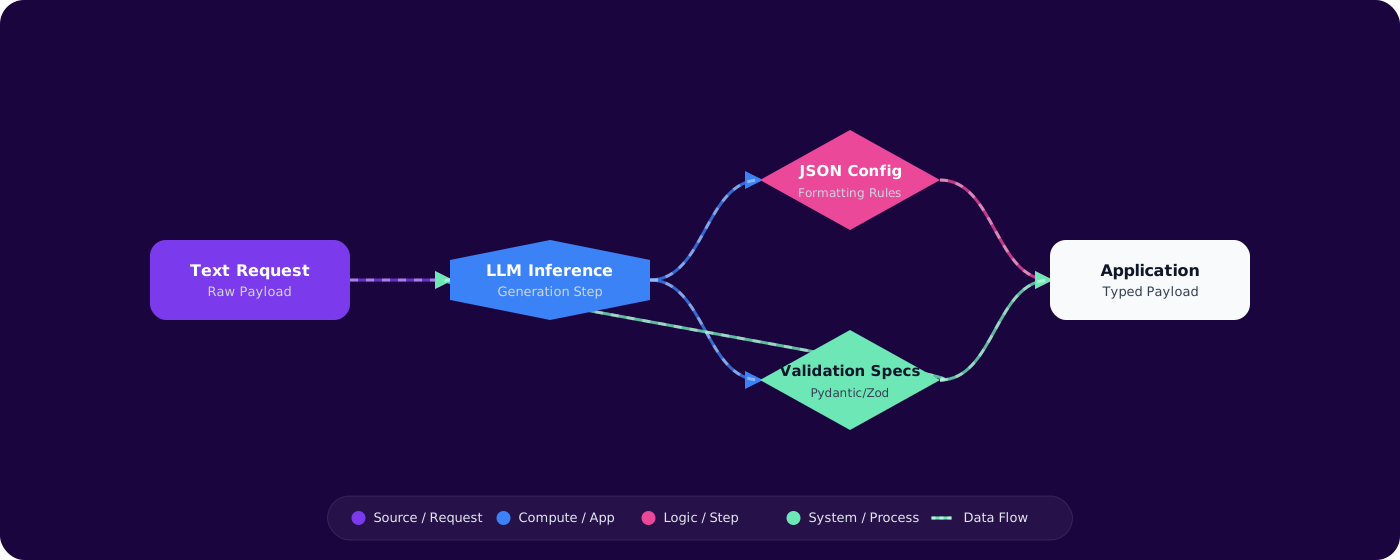
Problem Context
You need an LLM to return a JSON object with specific fields. You write "Return JSON with fields: name, category, confidence." It works 95% of the time. The other 5%, you get markdown-wrapped JSON, missing fields, extra commentary, or completely made-up schema. Your downstream code crashes.
Getting reliable structured output from LLMs is one of the most common — and most frustrating — engineering challenges. The good news: every major model provider now offers mechanisms for structured outputs. The bad news: they work differently, have different guarantees, and each has edge cases that will bite you.
- Your JSON parsing fails intermittently because the LLM wraps output in markdown code fences
- You've written increasingly desperate prompt instructions like "ONLY return JSON, nothing else"
- You need to extract entities from text into a typed object, but the model keeps inventing extra fields
- You're not sure when to use JSON mode vs function calling vs structured outputs
This article covers every structured output mechanism available today, when to use each, and how to handle the failures that still happen.
Concept Explanation
There are three tiers of structured output enforcement, each with increasing reliability and decreasing flexibility:
      flowchart TD
          A["Prompt Instructions\n'Return JSON...'"] -->|"~90% reliable"| F["Parse + Validate"]
          B["JSON Mode\nresponse_format: json"] -->|"~99% reliable JSON"| F
          C["Function Calling\ntools / tool_choice"] -->|"~99.5% schema match"| F
          D["Structured Outputs\nstrict: true"] -->|"~100% schema match"| F
          F --> G{"Valid?"}
          G -->|"Yes"| H["Use Data"]
          G -->|"No"| I["Retry / Fallback"]

          style A fill:#dc2626,color:#fff,stroke:#b91c1c
          style B fill:#d97706,color:#fff,stroke:#b45309
          style C fill:#059669,color:#fff,stroke:#047857
          style D fill:#4f46e5,color:#fff,stroke:#4338ca
Prompt-Only Instructions
The baseline: ask the model to return JSON in the prompt. Works most of the time. Fails in ways that are hard to catch — extra whitespace, markdown wrapping, missing optional fields. No schema enforcement.
JSON Mode
Available in OpenAI and Azure OpenAI. Setting response_format: { type: "json_object" } guarantees the output is valid JSON. But it doesnot guarantee the JSON matches your schema. You'll get valid JSON, but maybe not the fields you asked for.
Function Calling (Tool Use)
Define a JSON schema as a "tool" or "function." The model returns a function call with arguments matching your schema. Higher reliability than JSON mode because the model is trained specifically for this format. Works across OpenAI, Azure OpenAI, Anthropic Claude, and most open models.
Strict Structured Outputs
OpenAI's strict: true mode uses constrained decoding to guarantee 100% schema compliance. The output tokens are constrained at generation time — it's impossible for the model to generate invalid JSON. The trade-off: first requests with a new schema have added latency for schema compilation.
Implementation
Step 1: JSON Mode (Azure OpenAI)
var options = new ChatCompletionOptions
      {
          ResponseFormat = ChatResponseFormat.CreateJsonObjectFormat()
      };

      var messages = new List<ChatMessage>
      {
          new SystemChatMessage("""
              Extract the product info and return a JSON object with fields:
              name (string), category (string), price (number), in_stock (boolean).
              Return ONLY the JSON object.
              """),
          new UserChatMessage(userInput)
      };

      var response = await client.CompleteChatAsync(messages, options);
      var json = response.Value.Content[0].Text;
      var product = JsonSerializer.Deserialize<Product>(json);
Step 2: Function Calling for Schema Enforcement
var extractTool = ChatTool.CreateFunctionTool(
          functionName: "extract_product",
          functionDescription: "Extract structured product information from text",
          functionParameters: BinaryData.FromString("""
          {
            "type": "object",
            "properties": {
              "name": { "type": "string", "description": "Product name" },
              "category": { "type": "string", "enum": ["electronics", "clothing", "food", "other"] },
              "price": { "type": "number", "description": "Price in USD" },
              "in_stock": { "type": "boolean" }
            },
            "required": ["name", "category", "price", "in_stock"]
          }
          """)
      );

      var options = new ChatCompletionOptions
      {
          Tools = { extractTool },
          ToolChoice = ChatToolChoice.CreateFunctionChoice("extract_product")
      };

      var response = await client.CompleteChatAsync(messages, options);
      var toolCall = response.Value.ToolCalls[0];
      var product = JsonSerializer.Deserialize<Product>(toolCall.FunctionArguments);
Step 3: Strict Structured Outputs (OpenAI)
var options = new ChatCompletionOptions
      {
          ResponseFormat = ChatResponseFormat.CreateJsonSchemaFormat(
              jsonSchemaFormatName: "product_extraction",
              jsonSchema: BinaryData.FromString("""
              {
                "type": "object",
                "properties": {
                  "name": { "type": "string" },
                  "category": { "type": "string", "enum": ["electronics", "clothing", "food", "other"] },
                  "price": { "type": "number" },
                  "in_stock": { "type": "boolean" }
                },
                "required": ["name", "category", "price", "in_stock"],
                "additionalProperties": false
              }
              """),
              jsonSchemaIsStrict: true
          )
      };
Step 4: Validation and Fallback Layer
public async Task<T> ExtractWithRetry<T>(
string prompt,
ChatCompletionOptions options,
int maxRetries = 2) where T : class
{
for (int attempt = 0; attempt <= maxRetries; attempt++)
{
var response = await _client.CompleteChatAsync(
new[] { new UserChatMessage(prompt) }, options);
var text = response.Value.ToolCalls.Any()
? response.Value.ToolCalls[0].FunctionArguments.ToString()
: response.Value.Content[0].Text;
try
{
var result = JsonSerializer.Deserialize<T>(text, _jsonOptions);
if (result != null)
{
var validationResults = new List<ValidationResult>();
if (Validator.TryValidateObject(result,
new ValidationContext(result), validationResults, true))
return result;
}
}
catch (JsonException) when (attempt < maxRetries)
{
// Retry on parse failure
continue;
}
}
throw new ExtractionException("Failed to extract valid structured data");
}
Pitfalls
1. JSON mode without a schema in the prompt
JSON mode guarantees valid JSON, not correct JSON. Without a schema in your prompt, the model will return some valid JSON — but probably not the structure you need. Always describe the expected schema even when using JSON mode.
2. Not handling refusals in structured outputs
Even with strict mode, the model can refuse to answer (safety filters, content policy). The response will have a refusal field instead of content. Always check for refusals before parsing.
3. Complex nested schemas on first call
Strict structured outputs compile your schema on the first request. Deeply nested schemas with many enum values can add 5-10 seconds of latency on the first call. Subsequent calls use a cached schema. Plan for this cold-start in user-facing flows.
4. Assuming function calling works identically across providers
OpenAI, Anthropic, and open models all support function calling, but argument formatting, multi-tool behavior, and error modes differ. Test your extraction pipeline against each provider you support.
Practical Takeaways
- Use strict structured outputs when schema compliance is critical. For data extraction, entity recognition, and any pipeline where downstream code expects exact types — strict mode eliminates parsing failures.
- Use function calling as the universal fallback. It works across all major providers with good schema adherence. It's the most portable structured output mechanism.
- Always validate after parsing. Even with strict mode, validate business rules (ranges, required patterns, enum values). Schema compliance doesn't mean semantic correctness.
- Build a retry layer with budget limits. Retries are cheap for extraction tasks. But cap them — three attempts max — and fail explicitly rather than looping.
- Describe the schema in the prompt even when using API-level enforcement. The model generates better data when it understands what each field means, not just its type.