
Problem Context
Autonomous coding agents promise to go beyond autocomplete — they can read your codebase, plan multi-step changes, run tests, and iterate. GitHub Copilot Agent Mode, Cursor's Composer, and Windsurf's Cascade all claim to handle complex engineering tasks end-to-end. But how well do they actually work on real projects?
Marketing demos show agents building todo apps from scratch. Real engineering is different: you're refactoring a service with 200 files, fixing a race condition in async code, or adding a feature that touches five layers of your architecture. This experiment tests agents on those real tasks.
- You've tried AI coding agents but aren't sure if they're genuinely saving time or just shifting the work
- Your team is debating which tool to standardize on, and opinions are based on vibes, not data
- You want to know which types of tasks agents handle well and where they waste time
- You're interested in AI agents but don't trust the vendor benchmarks
This article shares measured results from testing three agents on five real engineering tasks — with honest findings about what works and what doesn't.
Concept Explanation
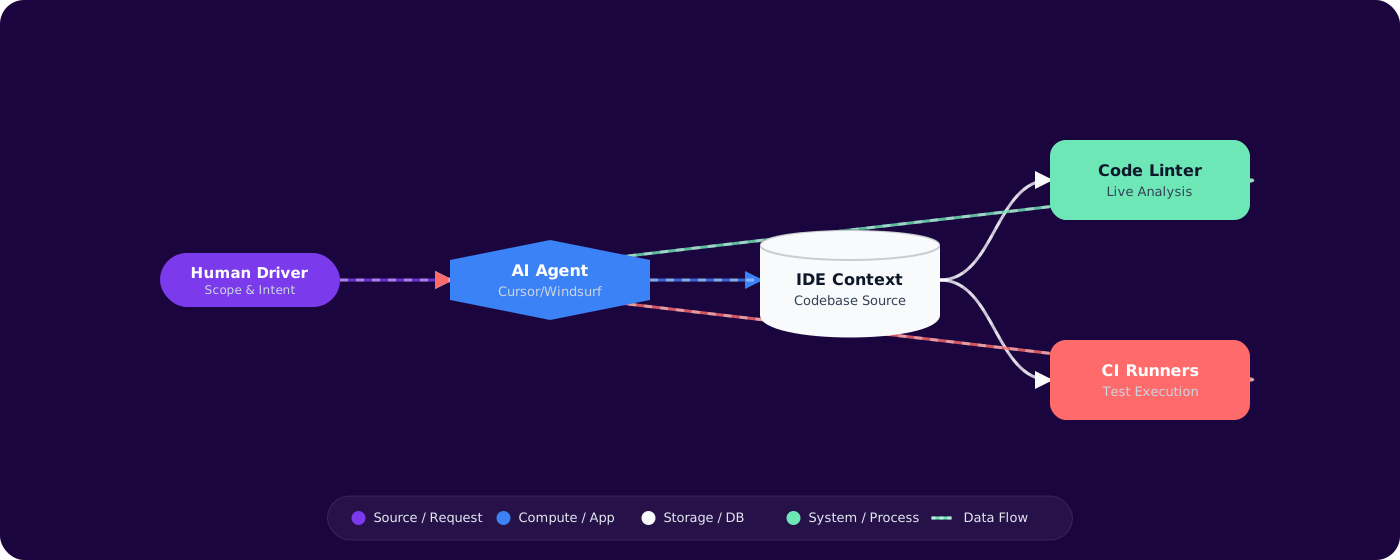
Autonomous coding agents work in a loop: read context → plan changes → edit files → run verification → iterate if needed. The quality of each step matters, but the critical differentiator is context gathering — how well the agent understands your codebase before it starts writing code.
      flowchart LR
          A["User Task"] --> B["Context Gathering\n(read files, search)"]
          B --> C["Plan\n(multi-step strategy)"]
          C --> D["Edit Files\n(code changes)"]
          D --> E["Verify\n(run tests, check errors)"]
          E -->|"Failures"| C
          E -->|"Success"| F["Complete"]

          style A fill:#4f46e5,color:#fff,stroke:#4338ca
          style B fill:#dc2626,color:#fff,stroke:#b91c1c
          style C fill:#059669,color:#fff,stroke:#047857
          style E fill:#7c3aed,color:#fff,stroke:#6d28d9
Experiment Setup
Five tasks on a real .NET 8 web application (~50K lines of code, 12 projects, PostgreSQL + Redis):
- Multi-file refactoring: Extract a service class used across 15 files into a separate project
- Bug fix: Race condition in a distributed cache invalidation handler
- Feature implementation: Add pagination with cursor-based navigation to an existing API endpoint
- Test generation: Generate integration tests for an existing payment processing service
- Migration: Upgrade from
HttpClientdirect usage toIHttpClientFactorypattern across the solution
Implementation
Task 1: Multi-File Refactoring Results
Extracting NotificationService into its own project with proper dependency updates across 15 consuming files.
Agent               | Completed? | Files Correct | Time   | Manual Fixes
      --------------------|------------|---------------|--------|-------------
      Copilot Agent Mode  | Partial    | 12/15         | 8 min  | 3 files needed reference fixes
      Cursor Composer     | Yes        | 15/15         | 12 min | 1 namespace adjustment
      Windsurf Cascade    | Partial    | 11/15         | 6 min  | 4 files missed, DI registration wrong
Key finding: All agents struggled with project reference updates in the .csproj files. They correctly moved the code but often missed updating downstream project references, causing build failures that required manual intervention.
Task 2: Race Condition Bug Fix
A distributed cache invalidation handler could process stale data when two updates arrived out of order.
Agent               | Found Bug? | Fix Correct? | Time   | Notes
      --------------------|------------|--------------|--------|------
      Copilot Agent Mode  | Yes        | Mostly       | 5 min  | Used lock instead of version check
      Cursor Composer     | Yes        | Yes          | 7 min  | Implemented optimistic concurrency correctly
      Windsurf Cascade    | No         | N/A          | 4 min  | Suggested unrelated changes
Task 3: Cursor-Based Pagination
// What the agent needed to produce:
      // 1. Add cursor parameter to controller
      // 2. Implement cursor encoding/decoding
      // 3. Modify repository query to use cursor
      // 4. Add pagination metadata to response
      // 5. Update OpenAPI documentation

      // All three agents produced working implementations
      // but with different quality levels:

      // Best (Cursor Composer) — handled edge cases:
      public record PagedResponse<T>(
          IReadOnlyList<T> Items,
          string? NextCursor,
          string? PreviousCursor,
          bool HasMore);
Task 4: Test Generation Quality
Agent               | Tests Generated | Pass Rate | Coverage Added | Meaningful?
      --------------------|-----------------|-----------|----------------|------------
      Copilot Agent Mode  | 12              | 10/12     | +18%           | 8/12 tested real behavior
      Cursor Composer     | 15              | 13/15     | +23%           | 11/15 tested real behavior
      Windsurf Cascade    | 8               | 7/8       | +12%           | 6/8 tested real behavior
Task 5: HttpClient Migration
Agent               | Files Modified | Correct? | DI Registration | Time
      --------------------|---------------|----------|-----------------|------
      Copilot Agent Mode  | 9/11          | Mostly   | Correct         | 10 min
      Cursor Composer     | 11/11         | Yes      | Correct         | 14 min
      Windsurf Cascade    | 8/11          | Mostly   | Missing 2       | 7 min
Pitfalls
1. Trusting agent output without verification
Every agent produced code that compiled but was subtly wrong in at least one task. Always run tests, review changes, and verify behavior. Agents are junior developers with perfect syntax and questionable judgment.
2. Starting with vague prompts
"Refactor the notification service" produces mediocre results. "Extract NotificationService into a new Contoso.Notifications project, update all 15 references, register in DI, and ensure existing tests pass" produces dramatically better results. Be specific.
3. Not pointing the agent to relevant files
Agents explore your codebase, but they don't always find the right files. Explicitly mentioning key files ("See PaymentProcessor.cs and its interface IPaymentProcessor.cs") significantly improves output quality.
4. Using agents for tasks that need design decisions
Agents execute well on clearly specified tasks. They're poor at making architectural decisions — "should this be an event or a direct call?" Make the design decisions yourself, then let the agent implement.
Practical Takeaways
- Agents work best on well-specified, bounded tasks. "Add cursor pagination to the Orders endpoint" beats "improve the API." Clear scope, clear success criteria.
- Context gathering is the differentiator. Agents that read more files before editing produce better results. Help them by pointing to relevant code.
- Test generation is the strongest use case. All three agents produced useful tests with minimal guidance. High ROI, low risk — start here.
- Review everything. Even the best results had subtle issues — wrong exception types, missing edge cases, incomplete DI registration. Agent output is a first draft, not a final commit.
- No single agent dominates. Copilot is best integrated in VS Code, Cursor produces the most thorough multi-file changes, Windsurf is fastest but least reliable. Pick based on your workflow priorities.