
Published: February 11, 2026
Problem Context
You've decided to build RAG. Now you need somewhere to store and search vectors. The market offers dozens of options, from purpose-built vector databases to add-on features in existing databases. The marketing pages all look the same: "blazing fast", "billion-scale", "production-ready."
In reality, these systems make very different trade-offs around query latency, index update speed, cost structure, operational complexity, and hybrid search capabilities. Picking wrong means a painful migration 6 months in when your scaling requirements collide with your database's limitations.
- You're evaluating 5 vector databases and the feature matrices all blur together
- Your prototype works on Pinecone but you're worried about vendor lock-in at scale
- You already have Cosmos DB and wonder if adding vector search there avoids a whole new service
- You picked a vector DB based on benchmarks and now real queries are 10x slower than advertised
This article gives you the decision framework with real trade-offs — not marketing bullet points.
Concept Explanation
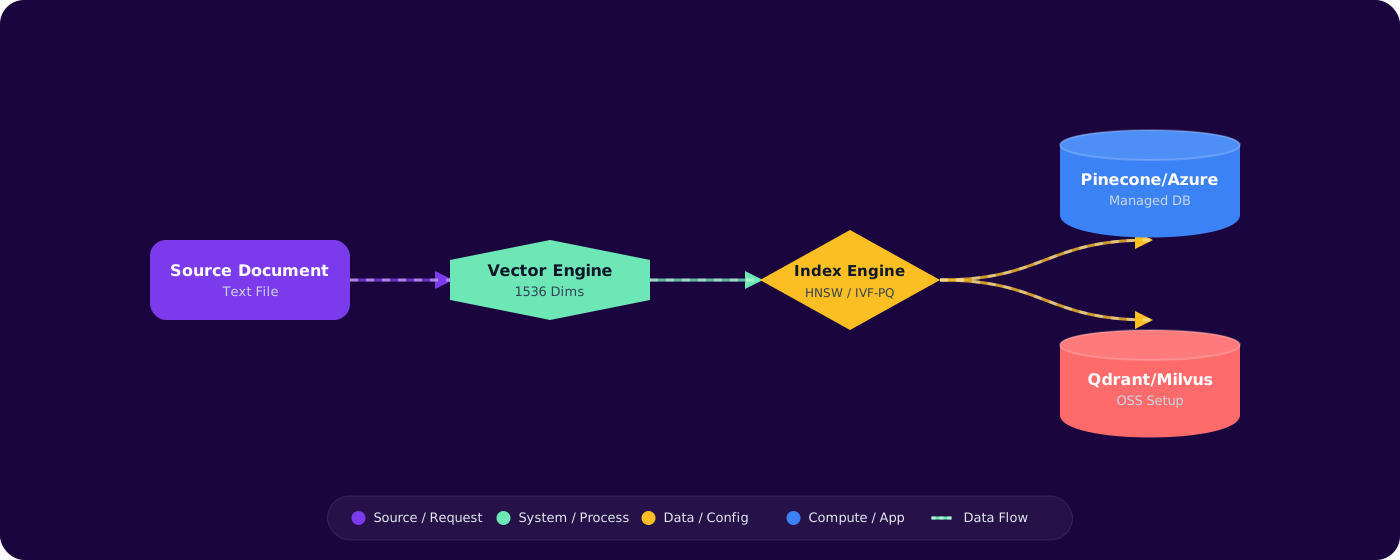
Vector databases store high-dimensional embeddings and retrieve the most similar ones for a given query vector. The core algorithm is Approximate Nearest Neighbor (ANN) search — trading a small amount of accuracy for massive speed improvements over brute-force comparison.
      flowchart LR
          Q["Query Vector"] --> ANN["ANN Index"]
          ANN --> R1["Result 1 - 0.95 similarity"]
          ANN --> R2["Result 2 - 0.91 similarity"]
          ANN --> R3["Result 3 - 0.87 similarity"]
          ANN --> R4["Result 4 - 0.84 similarity"]

          subgraph Index Types
              HNSW["HNSW - Graph-based"]
              IVF["IVF - Partition-based"]
              FLAT["Flat - Brute force"]
          end

          style Q fill:#4f46e5,color:#fff,stroke:#4338ca
          style HNSW fill:#059669,color:#fff,stroke:#047857
          style IVF fill:#7c3aed,color:#fff,stroke:#6d28d9
The Contenders
For this comparison, I'm focusing on the options you'll realistically evaluate for a production system on Azure:
- Azure AI Search — Microsoft's managed search service with integrated vector search
- Azure Cosmos DB (NoSQL with DiskANN vector search) — GA vector indexing using Microsoft's DiskANN algorithm, integrated into Cosmos DB's multi-model store
- PostgreSQL + pgvector — Vector search extension for PostgreSQL, ideal if you're already running Postgres
- Qdrant — Purpose-built open-source vector database (self-hosted or Qdrant Cloud)
- Pinecone — Fully managed SaaS vector database
Implementation
Azure AI Search
Best for: RAG systems that need hybrid search (vector + keyword + semantic ranking) in a single query.
// Index definition with vector search
      {
          "name": "documents-index",
          "fields": [
              { "name": "id", "type": "Edm.String", "key": true },
              { "name": "content", "type": "Edm.String", "searchable": true },
              { "name": "title", "type": "Edm.String", "searchable": true },
              {
                  "name": "contentVector",
                  "type": "Collection(Edm.Single)",
                  "dimensions": 1536,
                  "vectorSearchProfile": "default-profile"
              }
          ],
          "vectorSearch": {
              "algorithms": [{
                  "name": "hnsw-config",
                  "kind": "hnsw",
                  "hnswParameters": { "m": 4, "efConstruction": 400, "efSearch": 500 }
              }],
              "profiles": [{
                  "name": "default-profile",
                  "algorithmConfigurationName": "hnsw-config"
              }]
          }
      }
Strengths:
- Hybrid search in one call — vector + BM25 + semantic re-ranking
- Built-in skillsets for document cracking, chunking, embedding during indexing
- Integrated with Azure RBAC, Private Link, managed identity
- Semantic ranker significantly improves retrieval quality
Weaknesses:
- Pricing is per-SU (Search Unit), not per-query. Minimum ~$250/month for production tier
- Index updates are not real-time — near-real-time with indexer schedules
- Vector dimensions capped at 3072
Azure Cosmos DB with Vector Search
Best for: Applications already using Cosmos DB for operational data, where vector search is one of several access patterns.
// Cosmos DB container with vector indexing policy
      var containerProperties = new ContainerProperties("documents", "/category")
      {
          VectorEmbeddingPolicy = new VectorEmbeddingPolicy(new[]
          {
              new Embedding
              {
                  Path = "/contentVector",
                  DataType = VectorDataType.Float32,
                  DistanceFunction = DistanceFunction.Cosine,
                  Dimensions = 1536
              }
          }),
          IndexingPolicy = new IndexingPolicy
          {
              VectorIndexes = new[]
              {
                  new VectorIndexPath
                  {
                      Path = "/contentVector",
                      Type = VectorIndexType.QuantizedFlat // or DiskANN
                  }
              }
          }
      };
Strengths:
- Single database for operational data + vectors — no sync pipeline between databases
- Global distribution and multi-region writes
- DiskANN index type for high-performance vector search at scale
- Transactional consistency — update document and vector atomically
- Pay-per-RU model: cost scales with actual usage, not provisioned capacity
Weaknesses:
- No built-in hybrid search (BM25 + vector) in a single query
- Vector search is newer — feature set still evolving
- Need to manage RU allocation for vector search workloads
Qdrant
Best for: Teams that want full control over the vector engine with advanced filtering and payload indexing.
# Qdrant collection with named vectors and payload indexes
      from qdrant_client import QdrantClient
      from qdrant_client.models import VectorParams, Distance

      client = QdrantClient(host="localhost", port=6333)

      client.create_collection(
          collection_name="documents",
          vectors_config=VectorParams(size=1536, distance=Distance.COSINE),
          # Qdrant supports payload filtering during vector search
          # This is critical for tenant isolation in multi-tenant RAG
      )

      # Search with filter
      results = client.search(
          collection_name="documents",
          query_vector=query_embedding,
          query_filter=Filter(
              must=[FieldCondition(key="tenant_id", match=MatchValue(value="acme"))]
          ),
          limit=10
      )
Strengths:
- Excellent filtered search performance (critical for multi-tenant RAG)
- Named vectors — store multiple embedding types per document
- Open source: self-host for cost control, or use Qdrant Cloud
- Rich payload indexing with type support
Weaknesses:
- Self-hosting requires operational expertise (clustering, backups, monitoring)
- No built-in document cracking or enrichment pipeline
- Not an Azure-native service — no managed identity, Private Link requires setup
Pinecone
Best for: Teams that want zero operational overhead and are willing to pay for it.
Strengths:
- Fully managed — zero infrastructure to operate
- Serverless pricing option (pay per query)
- Fast onboarding: index and query in minutes
Weaknesses:
- Vendor lock-in: proprietary, no self-host option
- No hybrid search (keyword + vector)
- Data residency concerns for regulated industries — limited region availability
- Costs scale aggressively with data size at higher tiers
Comparison Matrix
| Criteria | AI Search | Cosmos DB | Qdrant | Pinecone |
|---|---|---|---|---|
| Hybrid search | ✅ Native | ❌ | ⚠️ Sparse vectors | ❌ |
| Semantic re-ranking | ✅ Built-in | ❌ | ❌ | ❌ |
| Multi-tenant filtering | ✅ Security filters | ✅ Partition key | ✅ Payload filters | ✅ Namespaces |
| Real-time updates | ⚠️ Near-RT | ✅ Immediate | ✅ Immediate | ✅ Seconds |
| Operational complexity | Low (managed) | Low (managed) | High (self-host) | Very low |
| Cost at 1M vectors | ~$250-750/mo | ~$100-400/mo | ~$50-200/mo | ~$70-350/mo |
| Azure integration | ✅ Native | ✅ Native | ⚠️ Manual | ⚠️ Manual |
Pitfalls
1. Choosing based on benchmarks alone
Synthetic benchmarks (ANN-benchmarks.com) measure raw query speed on static datasets. In production, what matters is: query speed under concurrent load + with metadata filters + during index updates. These numbers are very different from benchmarks.
2. Ignoring the update path
Documents change. If your vector database makes updates expensive (full re-index), you'll accumulate stale data. Cosmos DB and Qdrant handle individual document updates well. AI Search requires indexer re-runs or push-mode updates.
3. Underestimating hybrid search value
Pure vector search misses exact matches. When a user searches for error code "NullReferenceException" or API name "CreateUserAsync", BM25 keyword search is more accurate than semantic similarity. If your queries include specific terms, you need hybrid search.
4. Multi-tenant afterthought
Adding tenant isolation to a vector database after the fact is painful. Design for it from day one: partition keys in Cosmos DB, security filters in AI Search, payload filters in Qdrant, namespaces in Pinecone.
Practical Takeaways
- Default to Azure AI Search for RAG if you need hybrid search and semantic re-ranking. The retrieval quality advantage is significant.
- Use Cosmos DB when vectors are alongside operational data — avoid building a sync pipeline between your main database and a separate vector store.
- Choose Qdrant for advanced filtering requirements (multi-tenant, complex metadata queries) and when you want infrastructure control.
- Pinecone for rapid prototyping when operational simplicity outweighs cost and lock-in concerns.
- Always prototype with your actual queries. Load 10K real documents, run 100 real queries, and measure precision. The right choice depends on your data, not generic benchmarks.