
Problem Context
LLM calls are slow. A GPT-4o request takes 2–15 seconds depending on output length. When you put that in a synchronous API call, your users wait, your threads block, and your system's throughput collapses under load.
Most AI workloads don't need real-time responses. Document summarization, batch classification, content moderation, embedding generation, report creation — these can all run asynchronously. Event-driven architecture decouples the request from the processing, letting you scale AI workloads independently and handle failures gracefully.
- Your API response times went from 200ms to 8 seconds after adding LLM calls to the request path
- Users are staring at loading spinners while the backend waits for GPT-4o to finish
- Your LLM rate limits kill throughput when 50 requests hit at once
- A single failed LLM call causes the entire request to fail with no retry
This article shows you how to move AI workloads off the critical path — and why it fixes all four problems.
Concept Explanation
The core idea: instead of calling the LLM inline during a user request, publish an event ("document uploaded", "review requested") and let a background processor handle the AI work. The user gets an immediate acknowledgment; the AI result arrives when it's ready.
      flowchart LR
          subgraph Request Path - Fast
              A["User Upload"] --> B["API - Validate & Store"]
              B --> C["Publish Event"]
              C --> D["Return 202 Accepted"]
          end

          subgraph Processing Path - Async
              E["Service Bus Queue"] --> F["AI Worker"]
              F --> G["Call LLM"]
              G --> H["Store Result"]
              H --> I["Notify User"]
          end

          C --> E

          style A fill:#059669,color:#fff,stroke:#047857
          style D fill:#059669,color:#fff,stroke:#047857
          style F fill:#4f46e5,color:#fff,stroke:#4338ca
          style G fill:#7c3aed,color:#fff,stroke:#6d28d9
When to Go Async
Use event-driven patterns when:
- Latency tolerance > 5 seconds. If users can wait for a notification, don't block the request.
- Batch processing. Embedding 10,000 documents, classifying a backlog, generating reports.
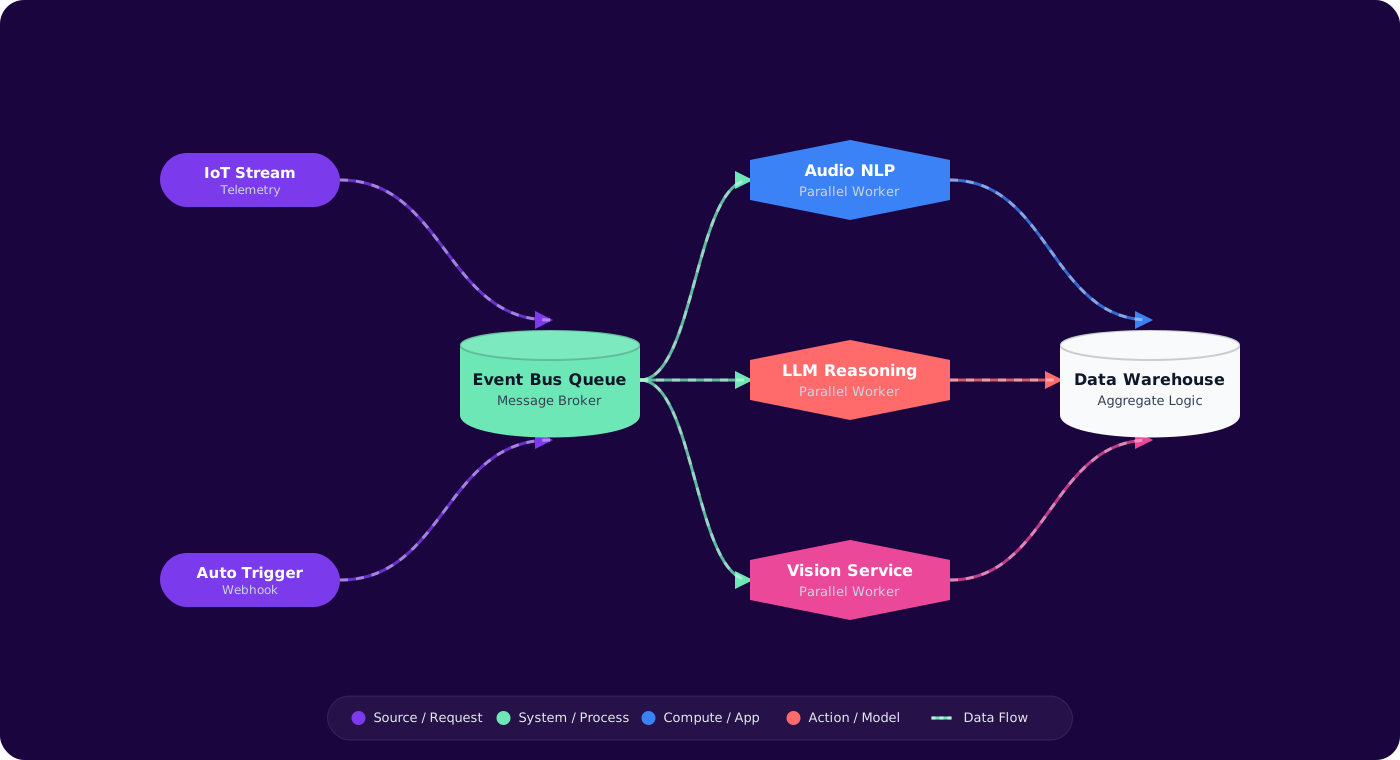
- Fan-out workloads. One input triggers multiple AI tasks (summarize + classify + extract entities).
- Retry requirements. LLM calls fail. Queues give you built-in retry with dead-letter handling.
Keep synchronous when:
- Chat/conversational interfaces where the user expects to see tokens streaming back.
- Sub-second classification that gates a UI decision (e.g., content safety check before showing content).
Azure Messaging Services for AI Pipelines
Azure Service Bus — Your primary choice for AI task queues. Supports sessions (ordered processing per entity), dead-letter queues (failed LLM calls), and scheduled delivery (rate-limit your LLM calls). Use queues for point-to-point processing, topics for fan-out.
Azure Event Grid — For event routing and triggering. When a blob is uploaded to storage, Event Grid triggers your processing pipeline. It's the router, not the queue — low latency, push-based, no message retention.
Azure Event Hubs — For high-throughput ingestion when you're processing thousands of AI requests per second (telemetry classification, log analysis). Overkill for most AI pipelines but essential at scale.
Implementation
Pattern 1: Document Processing Pipeline
      flowchart TD
          A["Blob Upload"] -->|"Event Grid"| B["Orchestrator Function"]
          B --> C["Service Bus: chunk-queue"]
          B --> D["Service Bus: metadata-queue"]

          C --> E["Chunking Worker"]
          E --> F["Service Bus: embed-queue"]
          F --> G["Embedding Worker"]
          G --> H["AI Search Index"]

          D --> I["Metadata Extractor"]
          I --> J["Cosmos DB"]

          H --> K["Notify: Ready for RAG"]
          J --> K

          style B fill:#4f46e5,color:#fff,stroke:#4338ca
          style G fill:#7c3aed,color:#fff,stroke:#6d28d9
          style I fill:#059669,color:#fff,stroke:#047857
// Azure Function: Service Bus triggered AI worker
      [Function("ProcessDocument")]
      public async Task Run(
          [ServiceBusTrigger("ai-tasks", Connection = "ServiceBusConnection")]
          ServiceBusReceivedMessage message,
          ServiceBusMessageActions messageActions)
      {
          var task = JsonSerializer.Deserialize<AiTask>(message.Body);

          try
          {
              var result = task.Type switch
              {
                  "summarize" => await _llmService.SummarizeAsync(task.Content),
                  "classify" => await _llmService.ClassifyAsync(task.Content),
                  "embed" => await _llmService.EmbedAsync(task.Content),
                  _ => throw new ArgumentException($"Unknown task: {task.Type}")
              };

              await _resultStore.SaveAsync(task.Id, result);
              await messageActions.CompleteMessageAsync(message);
          }
          catch (Azure.RequestFailedException ex) when (ex.Status == 429)
          {
              // Rate limited — abandon so it retries after visibility timeout
              await messageActions.AbandonMessageAsync(message);
          }
      }
Pattern 2: Fan-Out / Fan-In with Durable Functions
When a single input needs multiple AI operations that converge into one result:
// Orchestrator: fan-out AI tasks, fan-in results
      [Function("AnalyzeDocument")]
      public async Task<AnalysisResult> RunOrchestrator(
          [OrchestrationTrigger] TaskOrchestrationContext context)
      {
          var document = context.GetInput<Document>();

          // Fan-out: run 3 AI tasks in parallel
          var summaryTask = context.CallActivityAsync<string>(
              "Summarize", document.Content);
          var entitiesTask = context.CallActivityAsync<List<Entity>>(
              "ExtractEntities", document.Content);
          var sentimentTask = context.CallActivityAsync<string>(
              "AnalyzeSentiment", document.Content);

          await Task.WhenAll(summaryTask, entitiesTask, sentimentTask);

          // Fan-in: combine results
          return new AnalysisResult
          {
              Summary = summaryTask.Result,
              Entities = entitiesTask.Result,
              Sentiment = sentimentTask.Result
          };
      }
Pattern 3: Rate-Controlled Batch Processing
When you need to process thousands of items but your LLM endpoint has TPM limits:
// Configure Service Bus processor with concurrency control
      var processor = client.CreateProcessor("embed-queue", new ServiceBusProcessorOptions
      {
          MaxConcurrentCalls = 5,  // Match your TPM budget
          AutoCompleteMessages = false,
          MaxAutoLockRenewalDuration = TimeSpan.FromMinutes(10)
      });
Set MaxConcurrentCalls based on your Azure OpenAI deployment's TPM limit divided by your average tokens-per-request. This gives you natural backpressure without building custom rate limiting.
Pitfalls
1. No dead-letter handling
LLM calls fail for many reasons: rate limits, content policy violations, malformed inputs, model timeouts. If you don't configure dead-letter queues and monitor them, failed tasks silently disappear. Set MaxDeliveryCount to 3–5 and actively process the dead-letter queue.
2. Message lock expiration during long LLM calls
Service Bus default lock duration is 30 seconds. GPT-4o can take 30+ seconds for long outputs. If the lock expires, another consumer picks up the same message, and you get duplicate processing. Set lock duration to 5 minutes or use auto-lock-renewal.
3. Ordering assumptions
Service Bus queues don't guarantee ordering across consumers. If document chunks must be processed in order (e.g., for context-dependent summarization), use Service Bus sessions with a session ID per document.
4. Missing idempotency
Messages can be delivered more than once (at-least-once semantics). If your AI worker writes results without checking if they already exist, you'll get duplicate entries. Store a processing record keyed by message ID and check before processing.
5. Tight coupling through message schemas
If your event schema includes LLM-specific details (model name, temperature), you couple every producer to your AI implementation. Keep events domain-focused ("DocumentUploaded") and let the consumer decide which model to use.
Practical Takeaways
- Default to async for any AI workload that doesn't need streaming responses. The reliability and scalability benefits are immediate.
- Use Service Bus for AI task queues — built-in retries, dead-letter, sessions, and scheduled delivery handle 90% of your failure modes.
- Control LLM throughput with consumer concurrency, not custom rate limiters.
MaxConcurrentCallson the Service Bus processor is your throttle. - Durable Functions for fan-out/fan-in when one input needs multiple AI operations that converge. Don't build your own orchestration.
- Monitor your dead-letter queue. It's the first place to check when "AI isn't working" — the answer is usually there.