

Most Requests Do Not Need a Frontier Model
Classifying a ticket, pulling an order number out of a log line, routing a message to the right team: none of these needs the most capable model available. Sending them to a frontier model works, but you pay many times more per token, plus extra latency, for capability the task never uses.
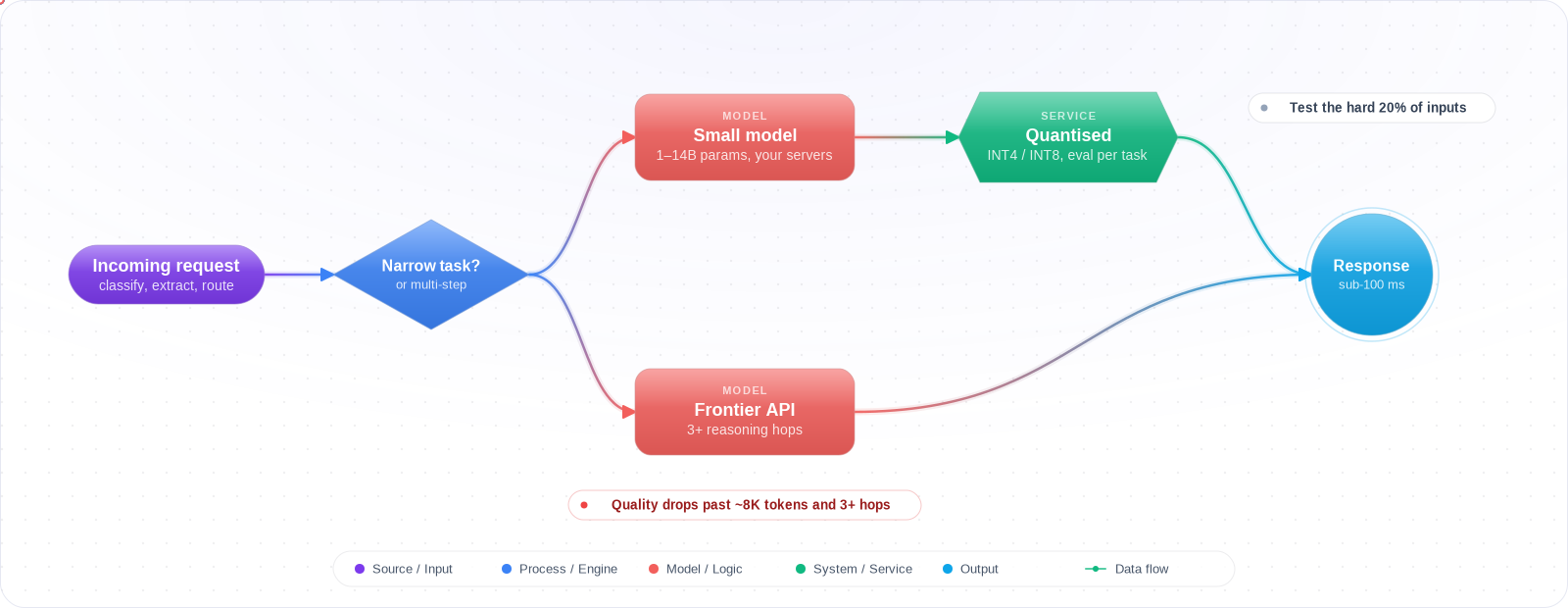
Small models, roughly 1 to 14 billion parameters, handle narrow tasks like these well, and they can run on your own servers or even on a device. They also have clear limits: broad knowledge and multi-step reasoning fall away quickly. Below is where small models earn their place, how to deploy them, and where you will hit their ceiling.
- Your LLM API bill is growing linearly with user traffic, and most calls are simple classification tasks
- You need sub-100ms inference latency for user-facing features, and cloud APIs can't deliver it
- You want to run inference locally or on-premise for data privacy reasons
- You've tried small models before and they gave terrible results, so you defaulted back to a frontier model
What Small Models Are Good At
Small models aren't "dumb big models." They're trained with different strategies — distillation, synthetic data, domain focus — that give them strong performance on specific task types. The key insight: model size determines the ceiling of reasoning complexity, not thequality on well-scoped tasks.
      flowchart LR
          T["Task Complexity"] --> S{"Scope?"}
          S -->|"Narrow + Well-defined"| SM["Small Model\n(1-14B params)"]
          S -->|"Open-ended + Reasoning"| LM["Large Model\n(70B+ or API)"]
          SM --> D["Deploy: Local / Azure\nLatency: 20-80ms\nCost: ~10-50x cheaper"]
          LM --> API["Deploy: API\nLatency: 200-800ms\nCost: Frontier pricing"]

          style SM fill:#059669,color:#fff,stroke:#047857
          style LM fill:#4f46e5,color:#fff,stroke:#4338ca
          style D fill:#059669,color:#fff,stroke:#047857
          style API fill:#4f46e5,color:#fff,stroke:#4338ca
Where Small Models Excel
- Classification: Sentiment, intent routing, topic categorization, spam detection
- Entity extraction: Names, dates, amounts, product codes from structured text
- Summarization: Short text summaries with clear constraints
- Code tasks: Autocompletion, simple refactoring, syntax transformation
- Translation: Common language pairs with limited domain
Where Small Models Struggle
- Multi-step reasoning: Tasks requiring 3+ logical hops
- Complex instruction following: Many constraints simultaneously
- Novel problem solving: Tasks unlike anything in training data
- Long context: The useful limit can be far below the advertised one, so measure it for your model
Deploying a Small Model
Step 1: Model Selection for Common Tasks
// Model routing based on task complexity
public class ModelRouter
{
    private readonly IChatClient _smallModel;   // Phi-4-mini via ONNX or Azure
    private readonly IChatClient _largeModel;   // GPT-5.6 Sol via Azure OpenAI

    public IChatClient Route(TaskType task) => task switch
    {
        TaskType.Classification => _smallModel,
        TaskType.EntityExtraction => _smallModel,
        TaskType.IntentRouting => _smallModel,
        TaskType.ShortSummary => _smallModel,
        TaskType.CodeCompletion => _smallModel,

        TaskType.ComplexReasoning => _largeModel,
        TaskType.LongDocumentAnalysis => _largeModel,
        TaskType.CreativeGeneration => _largeModel,
        TaskType.MultiStepPlanning => _largeModel,

        _ => _largeModel // Default to large for unknown tasks
    };
}
Step 2: Running Phi-4-mini with ONNX Runtime
// Local inference with ONNX Runtime GenAI
using Microsoft.ML.OnnxRuntimeGenAI;

var modelPath = "models/phi-4-mini-instruct-onnx";
using var model = new Model(modelPath);
using var tokenizer = new Tokenizer(model);

var prompt = $"""
    <|system|>Classify the support ticket into: billing, technical, account, other.
    Return only the category name.<|end|>
    <|user|>{ticketText}<|end|>
    <|assistant|>
    """;

var sequences = tokenizer.Encode(prompt);
var promptLength = sequences[0].Length;
using var genParams = new GeneratorParams(model);
genParams.SetSearchOption("max_length", promptLength + 20); // counts the prompt too
genParams.SetSearchOption("temperature", 0.1);

using var generator = new Generator(model, genParams);
generator.AppendTokenSequences(sequences);

// Generate tokens
while (!generator.IsDone())
{
    generator.GenerateNextToken();
}

// Decode only what was generated, not the prompt
var output = tokenizer.Decode(generator.GetSequence(0)[promptLength..]);
Step 3: Deploying on Azure with Serverless Pay-Per-Token
// Azure AI Model Inference — works with deployed SLMs
var client = new ChatCompletionsClient(
    new Uri("https://your-endpoint.inference.ai.azure.com"),
    new AzureKeyCredential(apiKey)
);

var response = await client.CompleteAsync(new ChatCompletionsOptions
{
    Messages =
    {
        new ChatRequestSystemMessage("Classify into: billing, technical, account, other."),
        new ChatRequestUserMessage(ticketText)
    },
    Temperature = 0.1f,
    MaxTokens = 10
});
Step 4: Quality Gate — When to Escalate
public class QualityGatedRouter
{
    public async Task<string> ClassifyWithFallback(string input)
    {
        // Try small model first
        var result = await _smallModel.ClassifyAsync(input);

        // Check confidence — escalate on low confidence
        if (result.Confidence < 0.85)
        {
            var fallback = await _largeModel.ClassifyAsync(input);
            _metrics.RecordEscalation("classification", result.Confidence);
            return fallback.Category;
        }

        return result.Category;
    }
}
Where Small Models Hit Their Ceiling
1. Testing on easy examples only
Small models ace the obvious cases. They fall apart on edge cases, ambiguous inputs, and adversarial queries. Your evaluation suite must include the hard tail of inputs, not just the easy majority. That's where the quality cliff lives.
2. Skipping quantization evaluation
Quantized models (INT4, INT8) are smaller and faster, but quantization affects different tasks differently. Classification might be unaffected; nuanced generation might degrade significantly. Evaluate the quantized model, not just the full-precision version.
3. No fallback to larger models
Small models should have an escape hatch. When confidence is low or the input is outside the expected distribution, route to a larger model. The cost of one GPT-5.6 Sol call is still less than the cost of one wrong answer.
4. Ignoring prompt format differences
Each small model family has its own prompt template format (ChatML, Llama format, Phi format). Using the wrong template silently degrades quality. Always match the model's training format exactly.
Choosing a Small Model in 2026
The small-model field moves quickly, so choose by testing rather than by reputation. Gemma 4, Phi-4, Qwen 3.8's smaller open models and Mistral Small 4 are all reasonable places to start. Liquid's LFM3 line arrived in October 2026 with a 1.7-billion-parameter model, which shows how far down the size range useful models now reach. Check each licence before you ship, because "open weights" covers a wide range of terms. Qwen's 27B model uses Apache 2.0, for instance, while some of its other releases use a community licence.
The hosted tiers have also changed the economics. GPT-6 Luna and Claude Haiku 5.5 both cost $0.10 per million input tokens, so running a small model yourself no longer wins on price alone until you have serious volume. A self-hosted GPU has to stay busy to beat that. The better reasons to go small are privacy, offline use, latency at the edge, and control over when the model changes.
Quantisation trade-offs
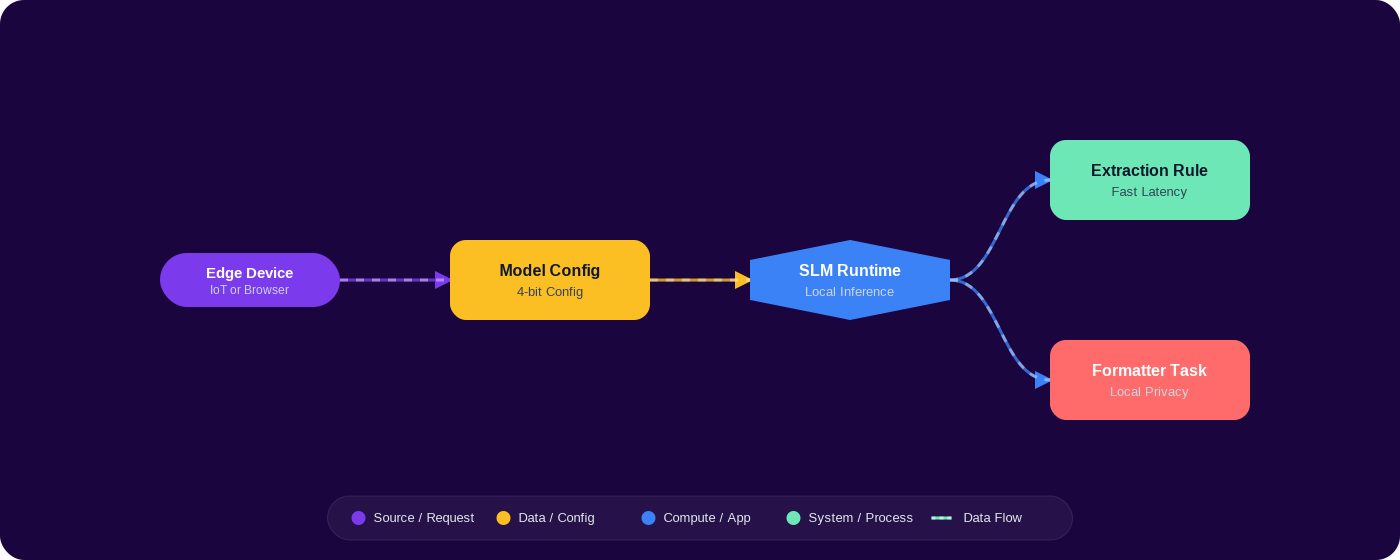
Quantising to 4-bit shrinks a model to about a quarter of its size, and the quality loss is often small for classification and extraction. It can be more noticeable on reasoning and long generation. Test the quantised model on your eval set, not the original, because you're shipping the quantised one. Then measure on your real hardware, as tokens per second on a laptop GPU, a phone and a server CPU can differ by an order of magnitude.
A small model as a router
One of the best uses of a small model is deciding what to do with a request: classify the intent, extract a few fields, or decide whether the frontier model is needed at all. If that step handles 60% of traffic, your large-model bill falls sharply, and hard requests still get the large model as long as the router sends them there, so measure what it misroutes on a held-out set. Add a confidence check, so that uncertain cases go up a tier. Watch the escalation rate over time, since a slow rise means your traffic is drifting away from what the small model handles well.
- Small models are specialists, not generalists. Match them to well-scoped tasks: classification, extraction, routing. Don't ask them to reason through complex, open-ended problems.
- Build a model router. Route simple tasks to small models, complex tasks to large models. The router is a few lines of code; the saving on routed traffic is roughly the price gap between the two tiers, so measure it on your own traffic.
- Always implement confidence-based fallback. Let the small model try first. If it's not confident, escalate. You get small-model cost on easy inputs and large-model quality on hard inputs.
- Evaluate on the hard tail. The inputs that are ambiguous, edge-case, or adversarial are where small models fail. If your evaluation only covers the easy cases, you'll ship a model that breaks in production.
- Phi-4-mini, Gemma 3, and Qwen 3 are the current sweet spots. For .NET teams, Phi-4-mini with ONNX Runtime GenAI gives you local inference with excellent quality-per-parameter. Qwen 3 offers strong multilingual performance. Evaluate against your tasks, but start with these families.