

The Trace Said Everything Worked
A customer complains that your support agent gave them the wrong refund policy. You open your LLM dashboard and every call is green. Latency is fine, no errors, tokens as expected. The trace shows eleven model calls and six tool calls, and it takes you forty minutes of reading to find the problem: on step four the agent searched with the wrong product name, got back a plausible document for a different product, and reasoned correctly from the wrong facts.
Agents fail like that. The infrastructure is healthy and the outcome is wrong. Request-level monitoring was built for a world where one request produced one answer, and an agent run is closer to a small distributed system that makes its own decisions. InfoQ's 2026 report has agent observability moving into early adopters and calls 2026 the year of AI evaluations, and these two belong together: traces show you what happened, and evals tell you whether it was any good.
- Your LLM monitoring is green while users report wrong answers
- You can't say why one run cost $0.02 and another $4
- Debugging means reading raw prompts in a log
- A model upgrade changed behaviour and you noticed from a complaint
What to Capture
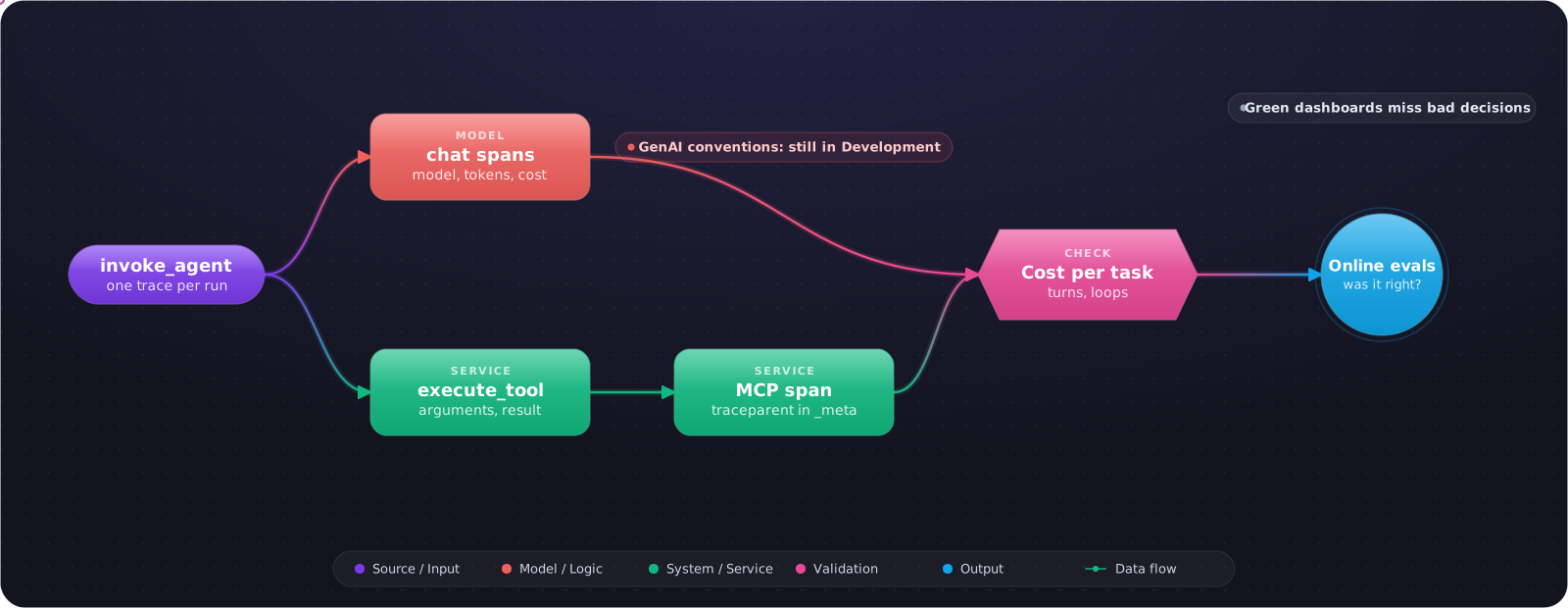
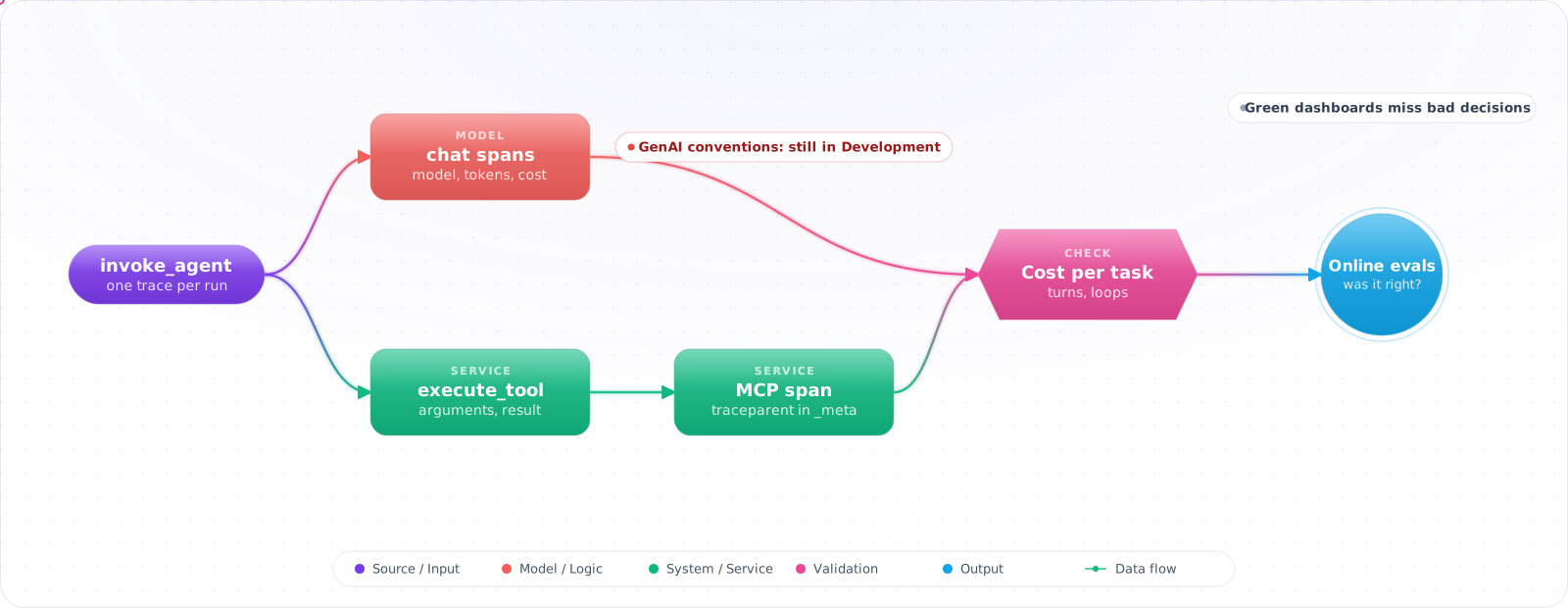
Model the run as a tree: one span for the agent invocation, a child for each model call, and a child for each tool call. OpenTelemetry's GenAI conventions define exactly that shape, with operations such as create_agent, invoke_agent and execute_tool, and separate conventions for MCP that include context propagation through _meta.
flowchart TD
    R["invoke_agent support-agent<br/>conversation c-812"] --> C1["chat claude-sonnet-5-5"]
    R --> T1["execute_tool search_docs"]
    R --> C2["chat claude-sonnet-5-5"]
    R --> T2["execute_tool get_order"]
    R --> C3["chat claude-sonnet-5-5"]
    T1 --> M["tools/call search_docs<br/>MCP client span"]
from opentelemetry import trace

tracer = trace.get_tracer("support-agent")

def run_agent(conversation_id: str, question: str) -> str:
    with tracer.start_as_current_span("invoke_agent support-agent") as span:
        span.set_attribute("gen_ai.operation.name", "invoke_agent")
        span.set_attribute("gen_ai.agent.name", "support-agent")
        span.set_attribute("gen_ai.conversation.id", conversation_id)
        return loop(question)

def run_tool(name: str, args: dict) -> str:
    with tracer.start_as_current_span(f"execute_tool {name}") as span:
        span.set_attribute("gen_ai.operation.name", "execute_tool")
        span.set_attribute("gen_ai.tool.name", name)
        return TOOLS[name](**args)
Those Conventions Are Still Moving
Plan for this, because it will bite you. The GenAI conventions now live in their own repository, semantic-conventions-genai, their status is Development, and that repository has no release yet. Attribute names can change. This already happens in real upgrades: Google's ADK 2.13 made a newer schema the default, removed a span name and left an environment variable to keep the old behaviour. If a dashboard depended on the old span, it went quiet that day.
So keep the mapping in one place. Emit attributes from a small wrapper, build dashboards on a thin layer of your own derived fields, and pin your instrumentation versions. Treat a schema change as a migration, not a dependency bump.
Metrics That Mean Something for an Agent
| Metric | Why it matters |
|---|---|
| Cost per completed task | Cost per token hides a loop that burned 40 turns |
| Turns per task, p50 and p95 | A rising p95 is usually the first sign of a confused agent |
| Tool error rate, per tool | Bad arguments point at the description; timeouts point at the backend |
| Loop detection | The same tool with the same arguments three times |
| Online eval score | The only one here that measures whether the answer was right |
Choosing a Backend
The choice is less dramatic than vendor comparisons suggest, provided you emit OpenTelemetry and keep your options open. Langfuse is open source and was acquired by ClickHouse in January 2026, with its core staying MIT-licensed; it is my default when self-hosting matters. Arize Phoenix is strong for local debugging and evals, and its version 21 turned authentication on by default, so check that if you upgrade. LangSmith makes sense if you are already on LangGraph. Run your production traces through two of them for a week and let your team pick.
What Goes Wrong
1. Capturing full prompts by default
gen_ai.tool.call.arguments and gen_ai.tool.call.result are opt-in for a reason: they can hold personal data. Decide what you store and redact before it leaves the process.
2. Traces that stop at the MCP boundary
If trace context isn't passed to your servers, every tool looks like a black box. Propagate traceparent through _meta.
3. Tracing without evals
A perfect trace of a wrong answer is still a wrong answer. Feed a sample of real runs into online evals, and turn failures into test cases.
4. No link back to a user-visible outcome
Store the trace ID with the ticket or message, so a complaint leads straight to the run.
Using Traces in an Incident
When something goes wrong in production, start from the user-visible outcome and work back. Find the trace from the ID stored on the ticket, then find the first step that went wrong. Look for a tool result that was empty, wrong or far larger than usual, since the model usually reasoned sensibly from bad input. Compare it with a good run of the same task if you can, because seeing where two traces diverge is the fastest way to find the fault. Once you've fixed it, add that run to your eval set so the same failure can't return quietly.
Sampling without losing what matters
At volume you can't keep everything. Keep all errors, all runs that hit a limit, all runs a user flagged, and a random share of the rest. Make that decision at the end of a run, with tail sampling, because you can't know at the start of a run that it will fail.
What to Log Alongside the Trace
Record the model version, prompt version and tool definitions hash on every run. When behaviour shifts, these tell you straight away what changed. Keep a link from the trace to the deployed commit as well. Without that, comparing this week's runs with last week's turns into guesswork, particularly when a vendor updates a model behind an alias.
What I Would Do First
Wrap your agent loop and tool calls in spans this week, even if they only go to a local Phoenix. Add cost per task and turns per task. Then take the last three user complaints and try to find each one from its trace. Wherever you get stuck, that is the next thing to instrument.